
Quick answers for getting your account live.
Why are some pages locked?
Most pages open once your account is Live. Your Dashboard, Billing and Contact Support are always open. See How Your ReviewCrusher Account Goes Live.
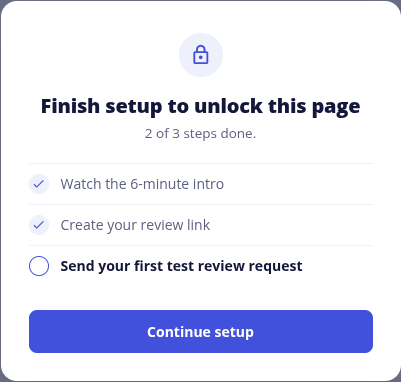
Why do I see Choose a plan to continue?
Your account needs an active plan first. Go to Billing, choose a plan, then return to your checklist.
I finished a step but it is not ticked
Wait a couple of minutes, then refresh your Dashboard. Steps tick themselves when ReviewCrusher sees the real result.
The video step is not completing
The step completes at 90% of the video. Keep the page open while you watch. See Watch the 6-Minute ReviewCrusher Introduction.
The Google window will not open
Allow popups for this site and try again. See Connect Your Google Business Profile.
The checklist says Google profile not verified
Google only gives a review link once your Business Profile is verified and published. Verify it in Google, then reconnect Google on Review Platforms. See Connect Your Google Business Profile.
The checklist says Connect Google
You have a review link, but Google is not connected. Click Open Review Platforms and connect your Google Business Profile.
The checklist says Needs a fix
Our check found something on your review link to change, and the checklist tells you what. Click Open Review Links, make the change, then come back to your Dashboard. We check again when you return.
What does We are on it mean?
The next move is ours or a third party's. You do not need to do anything for that step.
My test email did not arrive
Check your spam folder and the address on the contact, then send again. See Test Your ReviewCrusher Setup.
I do not use one of the Phase 2 items
That is fine. Phase 2 never stops your account from being Live, and an item that does not apply can be marked Not Needed.
Can I do this on my phone?
Please complete setup on a computer.
Still need help?
- Ask the Setup Assistant by email
- Text the Setup Assistant at (239) 933-4990
- Book a setup call with our Customer Success team
Back to My Onboarding Checklist
Last reviewed: November 13, 2026. Content owner: ReviewCrusher Customer Success.