
Setup has two phases. Phase 1 gets your account live. Phase 2 adds automation and can be finished at your own pace.
Phase 1: Get Live
Complete these three steps from the checklist on your Dashboard:
- Watch the 6-minute introduction
- Create your review link and connect your Google Business Profile
- Send your first test review request
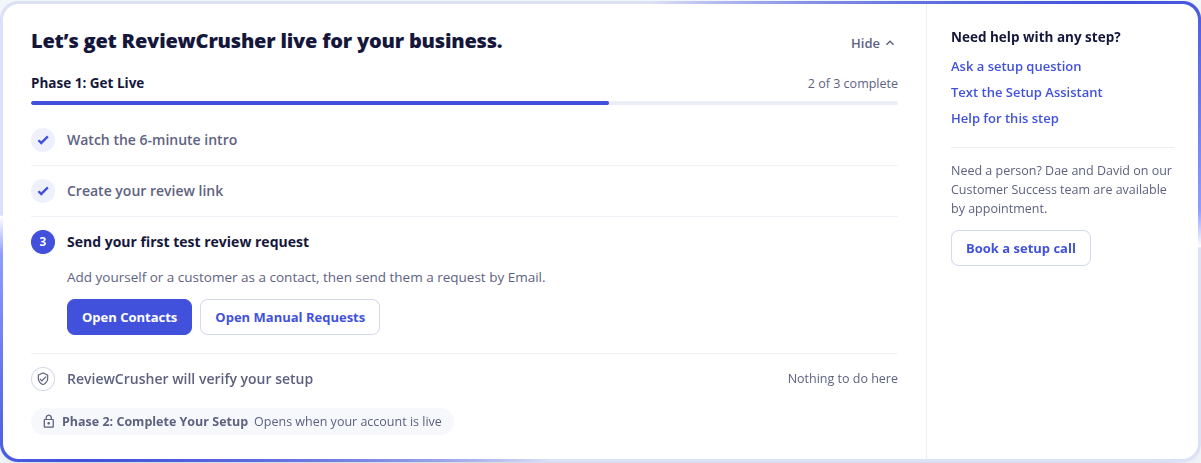
After that, ReviewCrusher verifies your setup. There is nothing for you to do during this check. If we find something you can fix, the checklist shows Needs a fix and tells you what to change.
You can hide the checklist at any time. It stays on your Dashboard as a bar and opens again on your next visit.

What Live means
Your account is Live when all three steps are done and our check has passed. It means the core review flow works for your business, and every page in your account opens.
Until then, some pages stay locked. Your Dashboard, Billing and Contact Support are always open. Get More Reviews, Contacts and Review Platforms open after you finish the video, and the other Get More Reviews tabs open once you are Live.
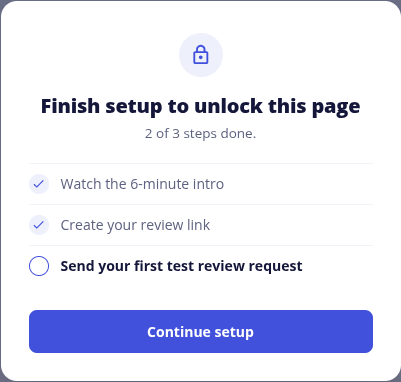
Phase 2: Complete Your Setup
These items automate more of ReviewCrusher. None of them stop your account from being Live.
- Onboarding information
- Review request trigger
- Connect your software
- Texting setup (A2P)
- Website widget
- Social connections
- Team members
- Photos and brand assets
- Final setup review
If an item does not apply to your business, it can be marked Not Needed.
How to know it is done
Your checklist shows Your ReviewCrusher account is live, and Phase 1 shows every step complete.
Still need help?
See Troubleshooting and Common Questions, or reach us here:
- Ask the Setup Assistant by email
- Text the Setup Assistant at (239) 933-4990
- Book a setup call with our Customer Success team
Back to My Onboarding Checklist
Last reviewed: November 13, 2026. Content owner: ReviewCrusher Customer Success.